Turing AI OS

The AI operating system.

The problem

Everyone bolted AI onto
a thirty-year-old desktop.

Copilot is a sidebar. ChatGPT is a browser tab. They can describe what to do next, then hand the work straight back to you.

  • The assistant can't reach the machine. It cannot move a window, open the right file or set up your workspace.
  • You are still the integration layer. Copy from the chat, paste into the app, repeat.
  • Your data goes out to answer. Cloud-only assistants mean cloud-only privacy.

Our thesis

If the assistant is going to do the work,
it has to be the desktop.

Not an app on the desktop. The shell itself — sitting next to the window manager, the filesystem and the speakers.

What we built

Turing AI OS replaces the shell.
Nothing else.

A new session compositor written in Rust takes over drawing and managing windows. The proven plumbing underneath — kernel, drivers, audio, networking — is untouched.

01

Familiar underneath

Your packages, your drivers, your file paths. Existing Linux apps run unchanged through Wayland and XWayland.

02

New on top

An assistant wired into window management, a voice that works offline, and a native app suite it can drive.

03

Low switching cost

Install the package, pick Turing AI OS at the login screen. Choose your old desktop any time.

Architecture

One layer changes hands.

Agent & chromeTuring AI OS Command panel, voice, dock, Nav, tool-calling loop, MCP client
Shell & window managerTuring AI OS Focus, tile, float, snap, four virtual desktops, Alt+Tab
Wayland compositorTuring AI OS · Rust Smithay, XWayland, DRM/KMS session, capability kernel
Linux system services systemd, PipeWire, NetworkManager, portals — unchanged
Linux kernel & hardware Standard x86-64 machines, including our own Turing Mini

The agent

Ask for the outcome.

The command panel plans, calls tools, checks what happened and retries. It has the same controls you do.

  • Desktop tools. Focus, tile, close, switch desktop, volume, wallpaper, screen capture.
  • File tools. Read, write, search and replace, glob, shell.
  • App tools. Every bundled app exposes its own verbs.
  • MCP client. Any Model Context Protocol server extends the loop.
Turing AI OS · Command

Tile the invoice next to my notes and read me the total.

open · nav

window_focus · writer

wm.tile · left / right

speak

“Invoice 0247 comes to four thousand, one hundred and twenty pounds.”

Voice

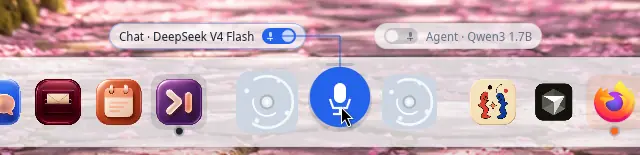
“Hey Turing.”
Answered on the device.

Wake word, transcription and speech synthesis all run locally. Pull the network cable and the computer still talks back.

  • whisper.cpp for speech recognition
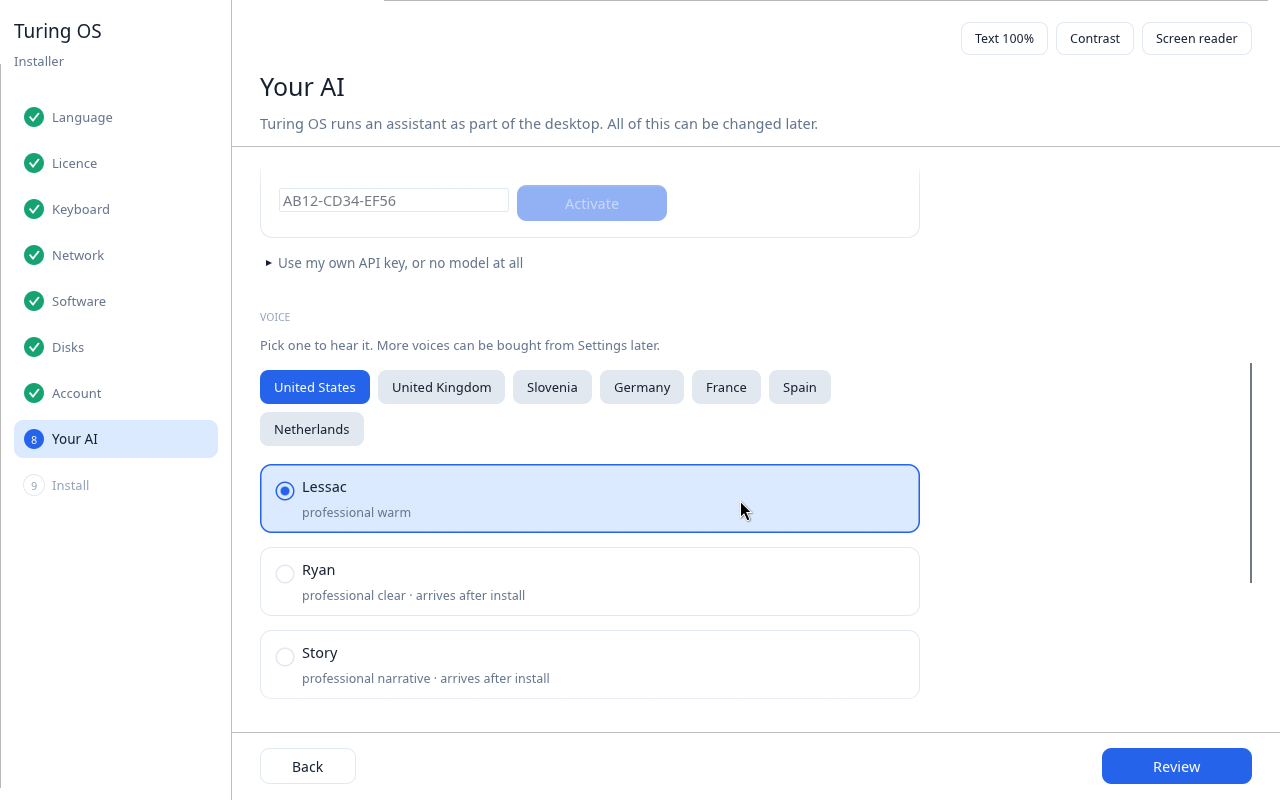
  • Piper for the voice, in seven locales on the image
  • No audio leaves the machine unless you choose a hosted model
  • Studio voices sold by partners inside Settings
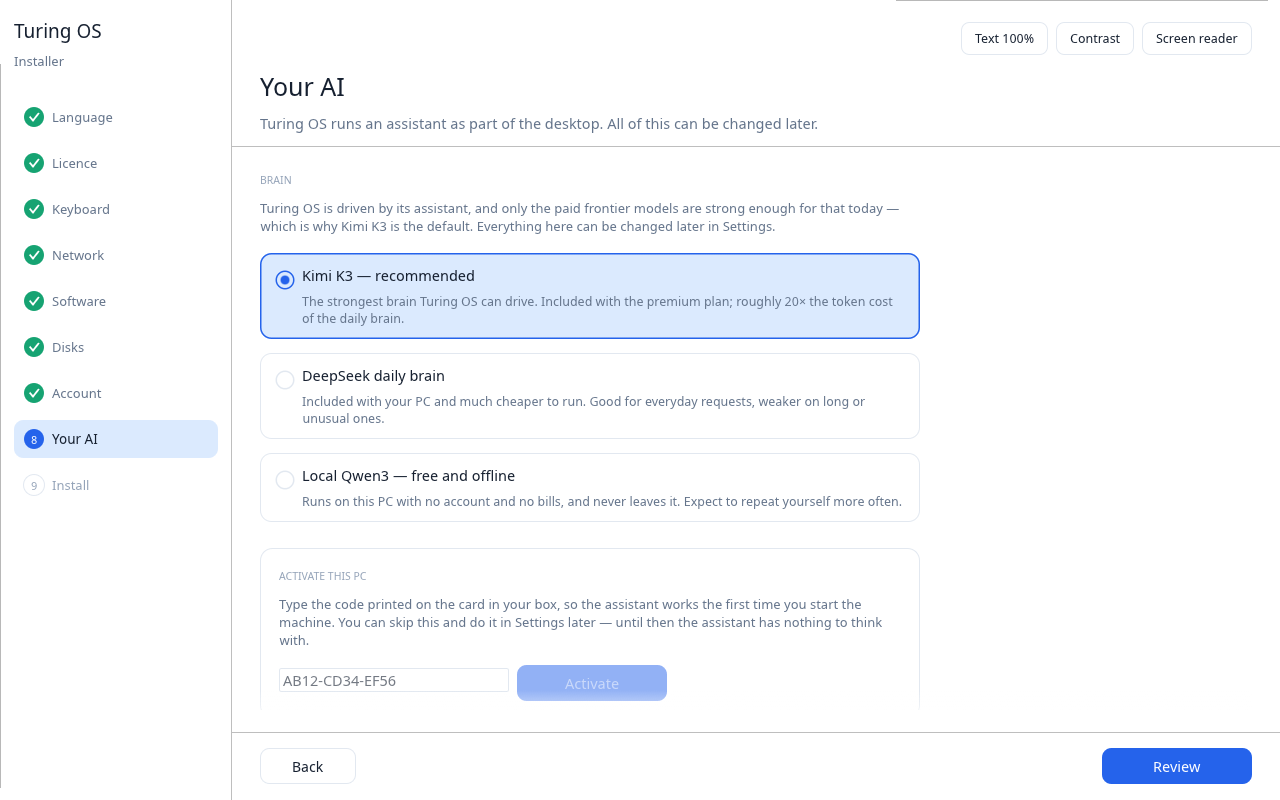
Turing AI OS login screen

Navigation

Folder-less,
not file-less.

Nav opens on recents, projects and what you were doing yesterday — not on a tree you have to climb. The files themselves stay exactly where Linux put them.

  • Cards, not directories, as the primary chrome
  • Describe a file and the agent resolves the real path
  • Every other tool still sees a normal filesystem
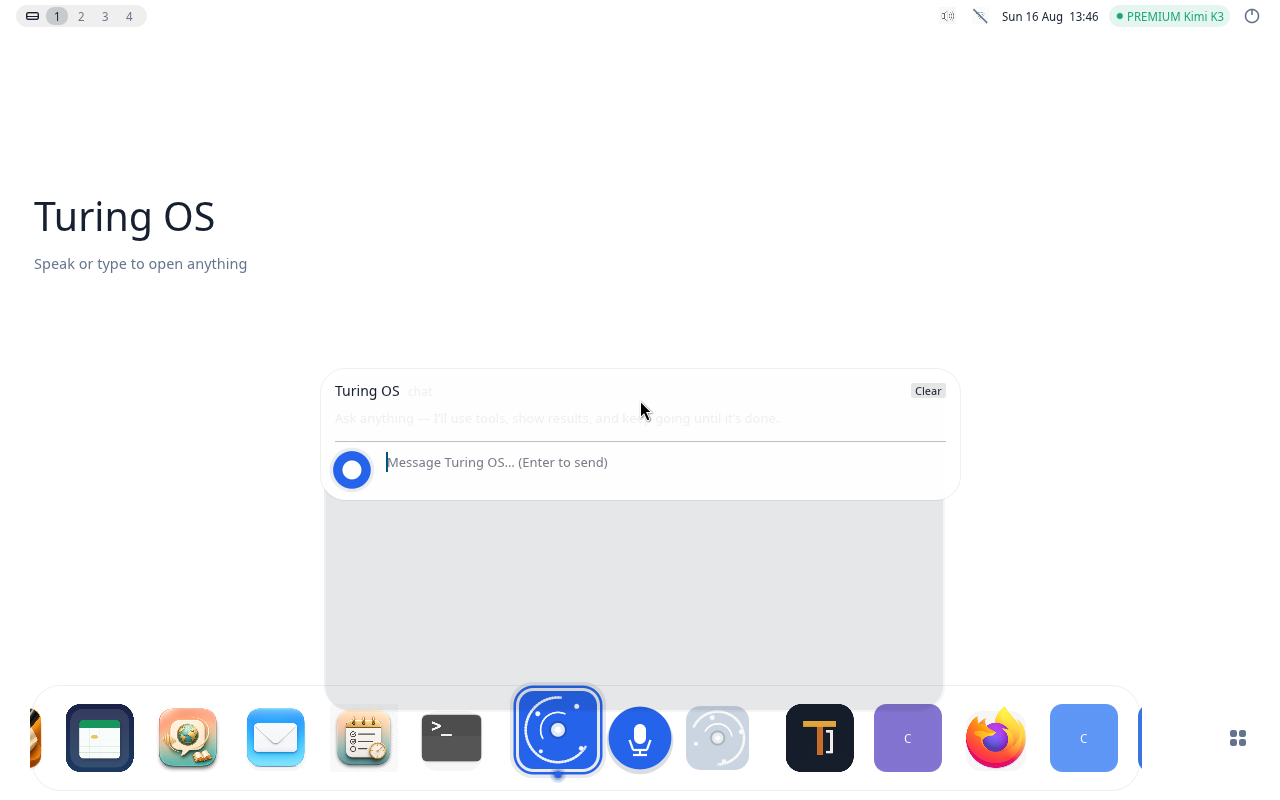
Turing AI OS desktop

Included

A suite the agent can drive.

Eleven applications ship with the system. Each one exposes tools, so one instruction can cross several of them.

Writer
WriterDocuments
Mail
MailIMAP & SMTP
Sheets
SheetsSpreadsheets
Planner
PlannerYour day
Glance
GlanceWeb results
Nav
NavPlaces
Teach
TeachLanguages
Turing Code
Turing CodeCoding agent
Settings
SettingsSystem
Developer
DeveloperApp SDK
Terminal
TerminalLinux shell

Design

Seven themes. Twelve wallpapers.

Daylight, Classic, Lumen, Harbor, Meadow, Nocturne and Petal. Colour, contrast and chrome move together — and the agent can change them on request.

silver harbor aurora fjord alpine meadow moonlit coast golden wheat mist lake dawn blossom path desert dusk

Where we are

Working today, and what is missing.

Shipping

  • Rust Wayland compositor, nested and full DRM session
  • Tile, float, snap, Alt+Tab, four desktops, XWayland
  • Agent command panel with tool loop and MCP
  • On-device wake word, speech recognition and voice
  • Eleven bundled applications
  • Sandboxed third-party app packages
  • Bootable ISO, Debian package and install wizard
  • Activation and hosted-AI proxy

Still building

  • Notification centre
  • Volume and brightness overlays
  • Screen recording and screencast portals
  • Semantic search across your files
  • Multi-monitor fractional scaling
  • Agent skill packs and plugin API
  • Billing for the cloud allowance

Business model

Three lines, one of them recurring.

Hardware

£400–£750

Turing Core and Turing Apex ship with Turing AI OS installed and activated. Margin on every unit, and it sets the reference platform.

Licence

£49 once

A perpetual per-machine licence for anyone installing on their own PC. Includes the first month of hosted AI so the machine is at its best immediately.

AI usage

From £19 / mo

A metered monthly allowance on a frontier model, priced by how much the customer actually uses. The compounding line, and the one that decides the company.

Turing AI OS is proprietary software. The licence covers the machine; the usage plan covers the thinking — and usage is where the revenue compounds.

Reference hardware

Turing Mini.

Designed in London, manufactured in China. Selling today at turing.london with live checkout.

Turing Core — £400

AMD Ryzen 5 7530U · 16 GB · 512 GB SSD · Black or Silver

Enough headroom to run the local model and still get work done. The volume machine.

Turing Apex — £750

AMD Ryzen 9 7940HS · 32 GB LPDDR5 · 1 TB SSD · Titanium

Larger local models, heavier multitasking, creative and development pipelines.

2
Models shipping
3
Finishes
11
Bundled apps
£49
Licence on the OS

Go to market

Hardware first, then the paid download.

Sell the experience assembled

A preinstalled, activated machine removes every setup risk and proves the product on hardware we control. UK first, EU next.

Sell the licence on its own

A £49 image for anyone with an x86-64 PC, with the first month of frontier AI included so the first hour is the best one. Cheap enough to try, dear enough to qualify buyers.

Grow the app surface

Sandboxed .turingapp packages plus MCP mean third parties can add tools the agent can call — without us building each one.

Recruit voice partners

Studio voice catalogues sold inside Settings give partners a channel and give us a marketplace before an app store exists.

Roadmap

From install image to platform.

Now

Install image and wizard hardened. Early-access testers on their own hardware.

Next

Desktop parity: notifications, system overlays, screencast, multi-monitor scaling.

Then

Semantic file search, agent skill packs, plugin API, cloud billing live.

After

Marketplace for voices and sandboxed apps. Turing Mini shipping preloaded at volume.

Each stage is useful on its own — testers get a working desktop long before the marketplace exists.

An operating system that
does the work.

The compositor runs, the agent acts, the voice answers offline and the hardware is already selling. What's left is parity and reach.

Webturing.london
Emailinfo@turing.london
CompanyTuring Intelligence Ltd
Turing AI OS

to navigate · F fullscreen · P print to PDF

1 / 16